MCP-Native Publishing: Why We Built a Model Context Protocol Server Into the Core Binary

Why raw HTML blobs break visual editing
Earlier this week, when we first deployed daypress.dev to a Google Cloud VM, we tested our MCP connection by asking an agent to push our initial landing page. The fastest shortcut was wrapping raw HTML inside CustomHtml blocks. It looked right on the public URL, but when I opened the page inside Daystudio, the tradeoffs were obvious: you couldn't click a heading to change its font size in the Inspector, and 380 lines of custom CSS were locked inside a global stylesheet.
If an AI agent builds a page for you, a human editor should still be able to open that page in the visual builder and tweak every button, grid column, and color token.
23 JSON-RPC tools over stdio and HTTP /mcp
Daypress ships a Model Context Protocol (2024-11-05) server directly inside the main binary—accessible both via --mcp-stdio for local clients and over HTTP Basic Auth / Application Passwords at POST /mcp. Using daypress_get_post_layout and daypress_update_post_layout, an agent can construct 100% native Section, Container, Grid, Heading, Text, Button, Image, and NavMenu trees backed by ElementorKit global design tokens.
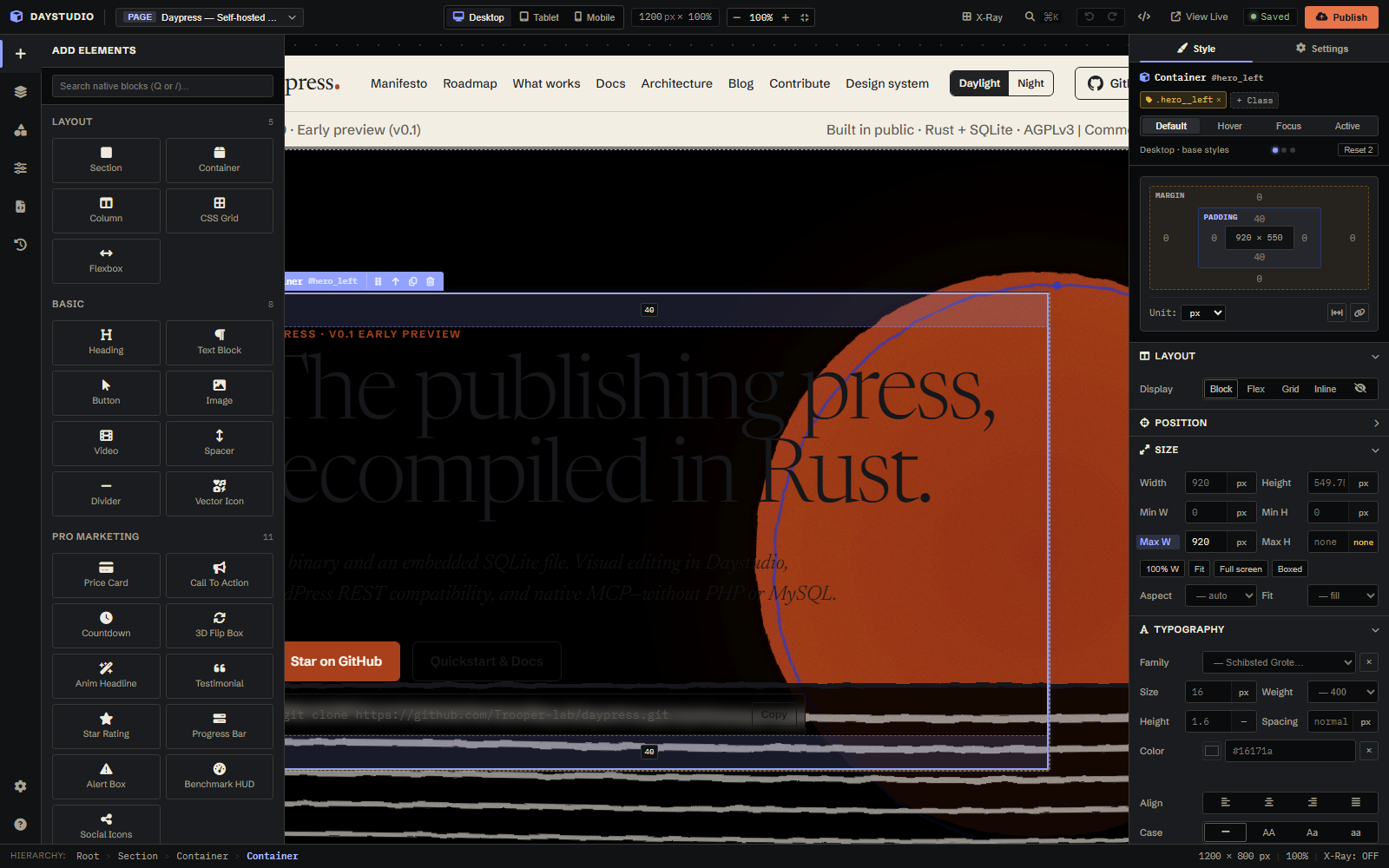
Every page on daypress.dev is now native AST
We refactored the entire daypress.dev website—the homepage, all six documentation and governance pages, the Theme Builder header and footer templates, and even the dispatches in this blog—into native Daystudio AST layouts via MCP. Every color token (Oxide Rust, Broadsheet Ink, Warm Newsprint) and typography preset (Newsreader, Schibsted Grotesk, IBM Plex Mono) compiles automatically on the server.